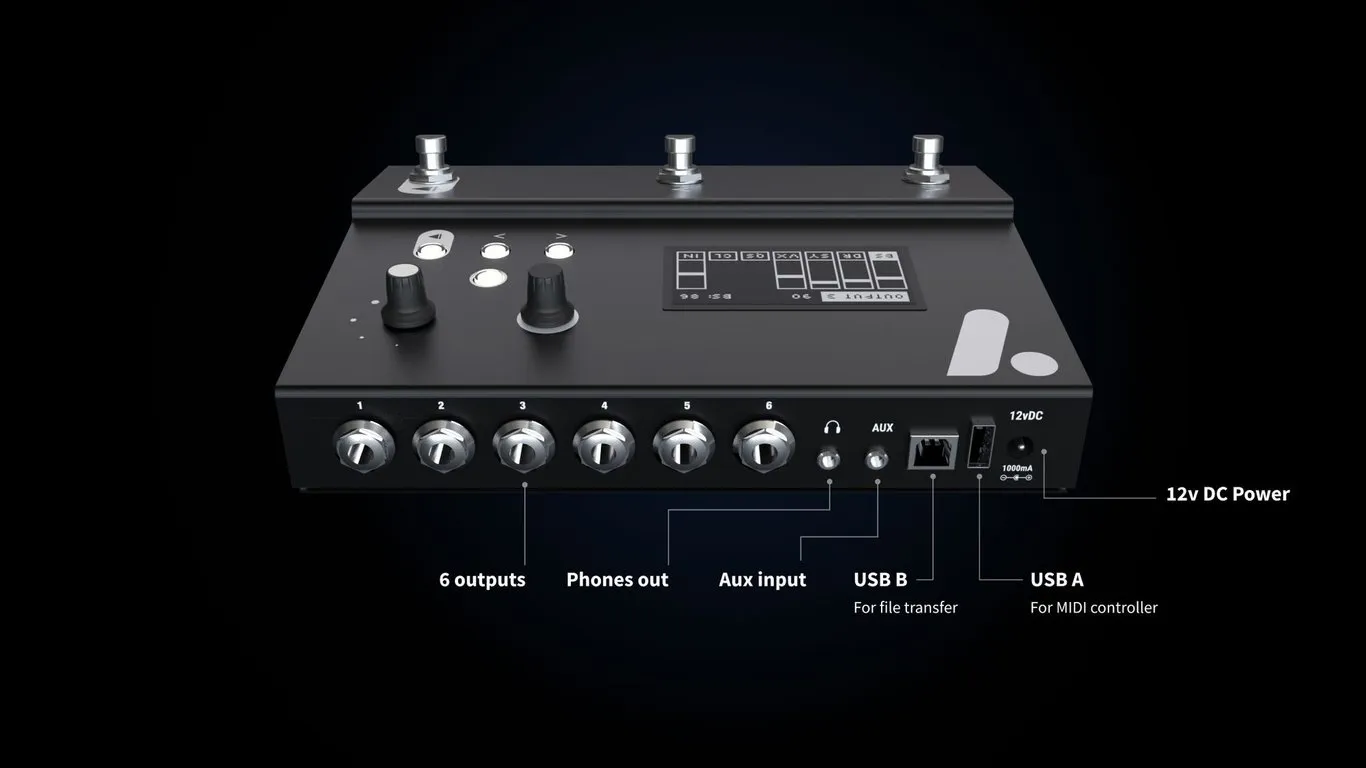
Overview - ports and interface
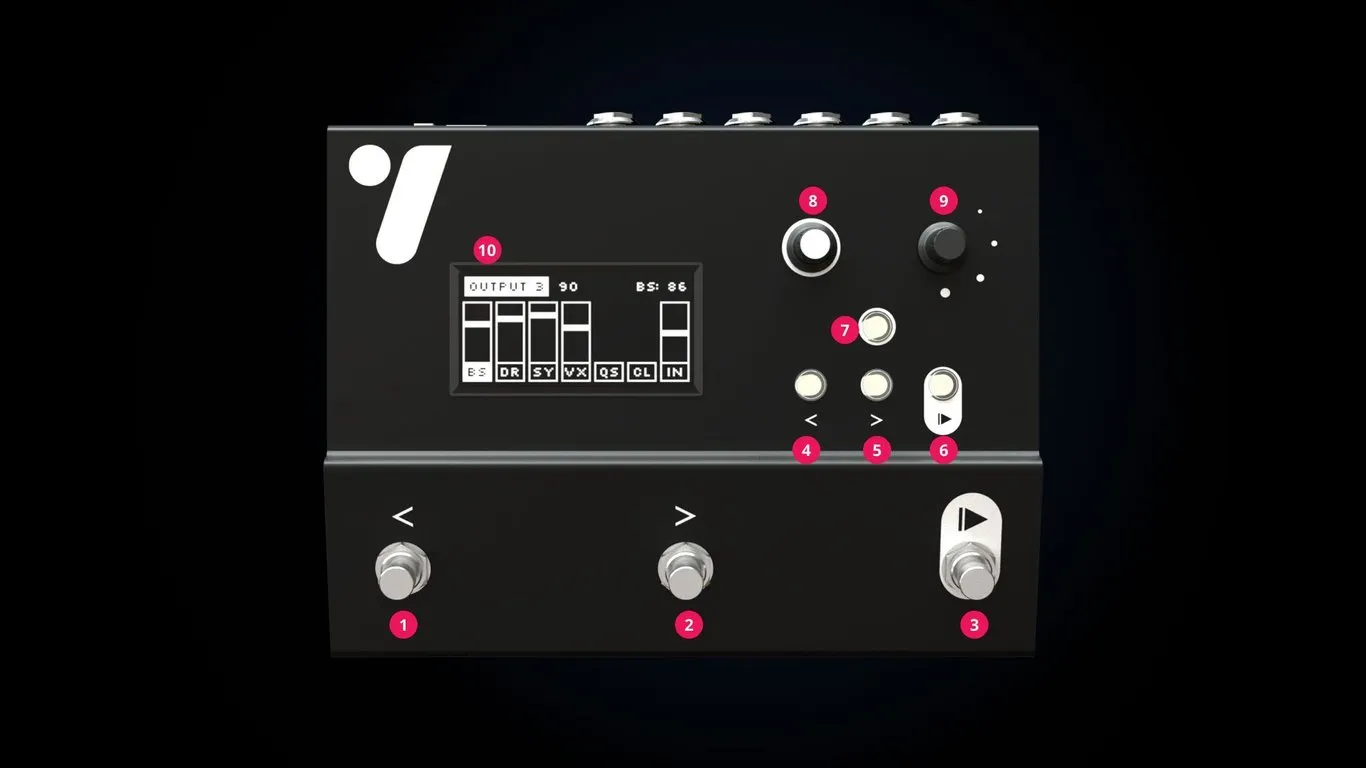
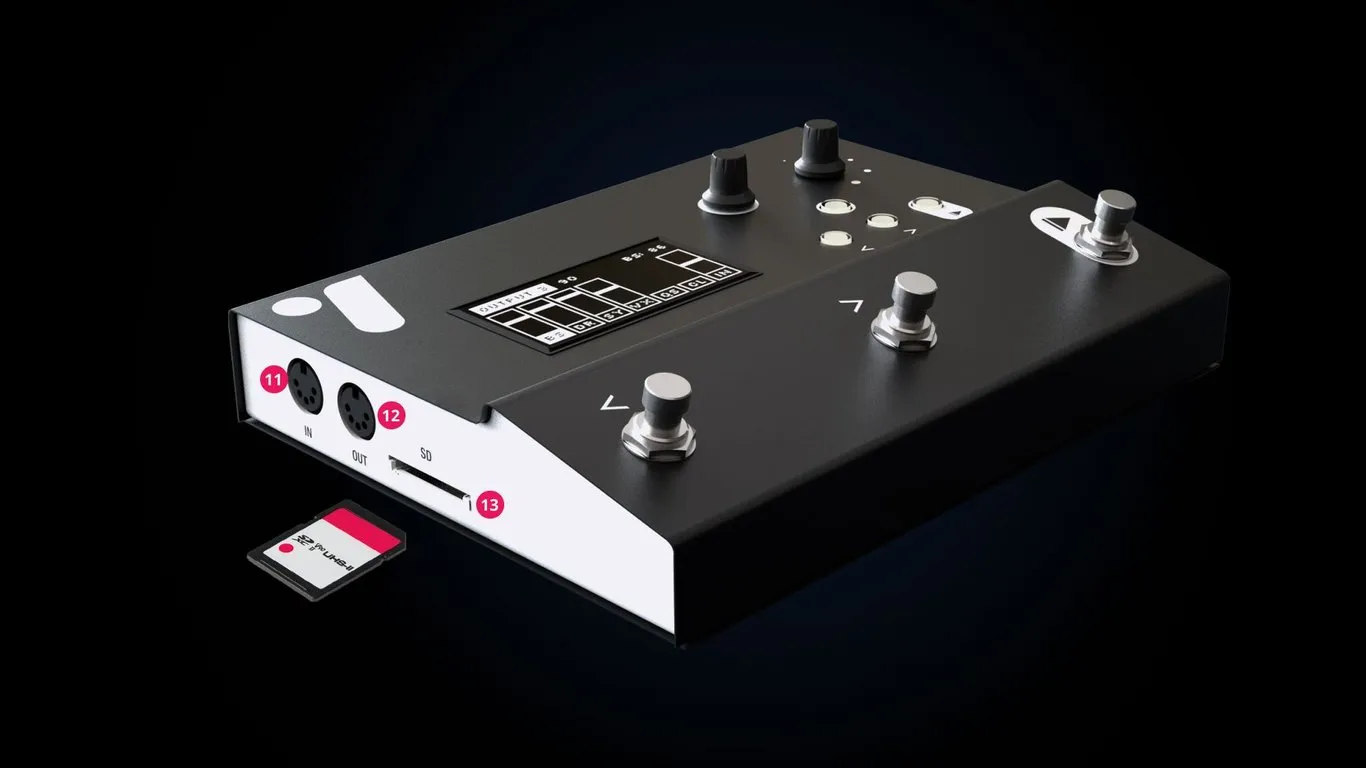
| No. | Control or connection | Function |
|---|---|---|
| 1 | Previous footswitch | Select the previous song. |
| 2 | Next footswitch | Select the next song. |
| 3 | Play footswitch | Play, pause or stop according to the selected Control Mode. |
| 4 | Previous button | Select the previous song. |
| 5 | Next button | Select the next song. |
| 6 | Play button | Play, pause or stop according to the selected Control Mode. |
| 7 | Exit button | Return to the current or first song and close menus. |
| 8 | Menu encoder | Press to open a menu or select; turn to navigate. |
| 9 | Mix encoder | Press to open the mixer or select; turn to navigate, adjust a value, or change headphone level from the player screen. |
| 10 | Display | Shows songs, playback, levels, MIDI activity and menus. |
| 11 | MIDI input | Receive remote control, clock, transport and P1 Sync data. |
| 12 | MIDI output | Send MIDI-file, clock, remote-control and P1 Sync data. |
| 13 | SD card slot | Stores all song and setlist data. |