Transport controls
When the P-1 is inactive:
Section titled “When the P-1 is inactive:”
Select next song
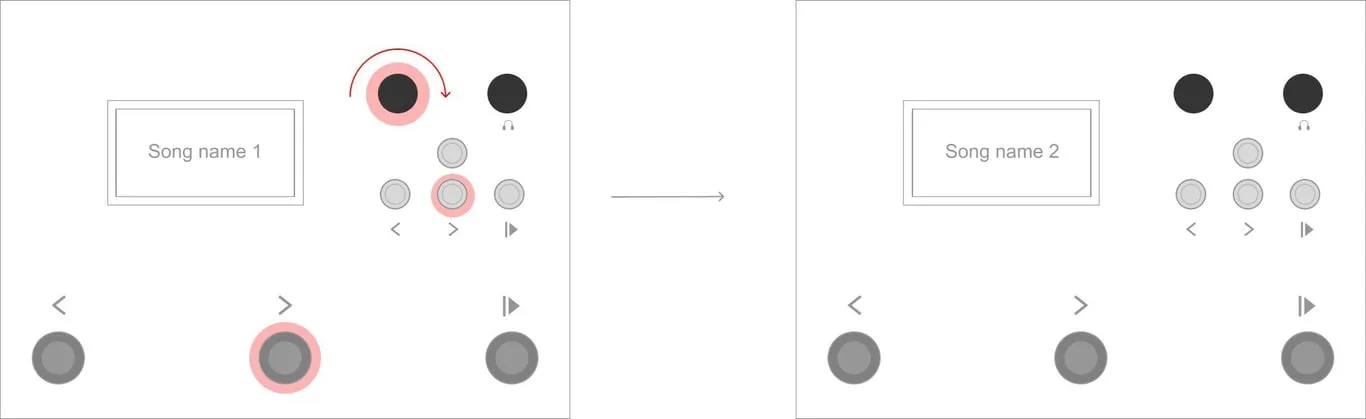
Section titled “Select next song”From the inactive state, quickly pressing the FORWARD footswitch or button, or turning the ENCODER clockwise, selects the next SONG.
Select previous song
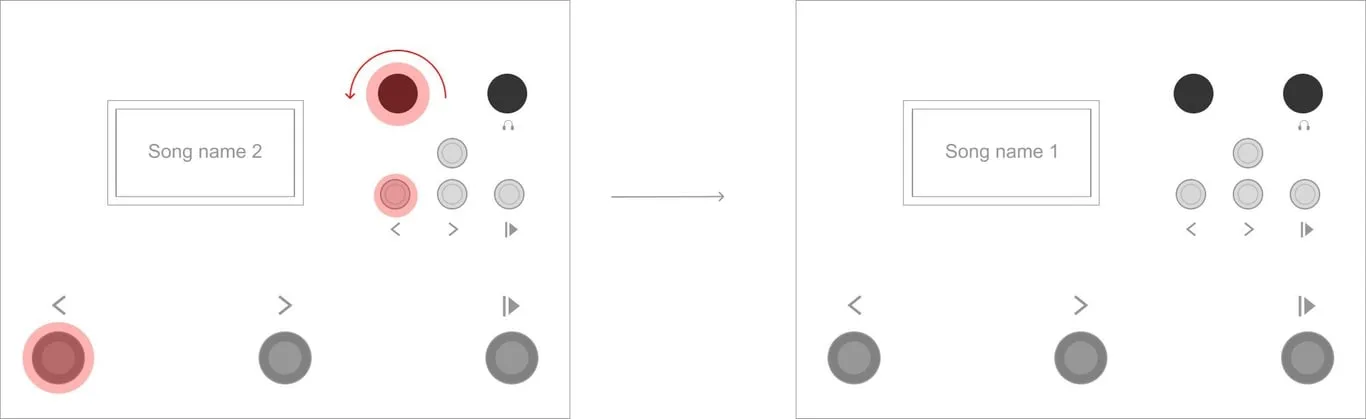
Section titled “Select previous song”From the inactive state, quickly pressing the BACK footswitch or button, or turning the ENCODER anti-clockwise, selects the previous SONG.
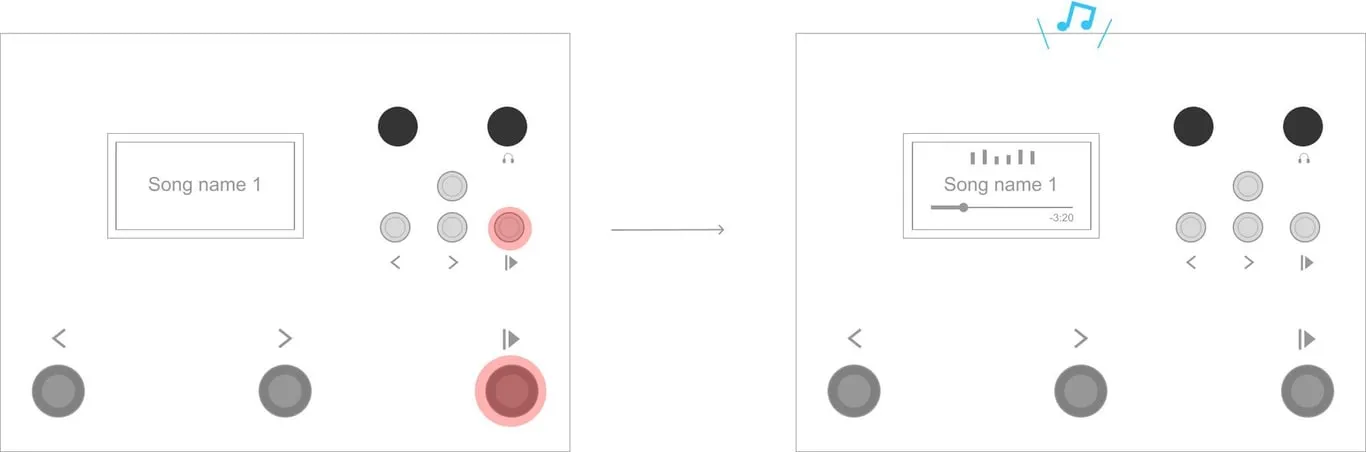
Play song
Section titled “Play song”In default Control Mode A, quickly press and release the PLAY footswitch or button to play the selected song from the start. Playback begins when the control is released.
When the P-1 is playing a song:
Section titled “When the P-1 is playing a song:”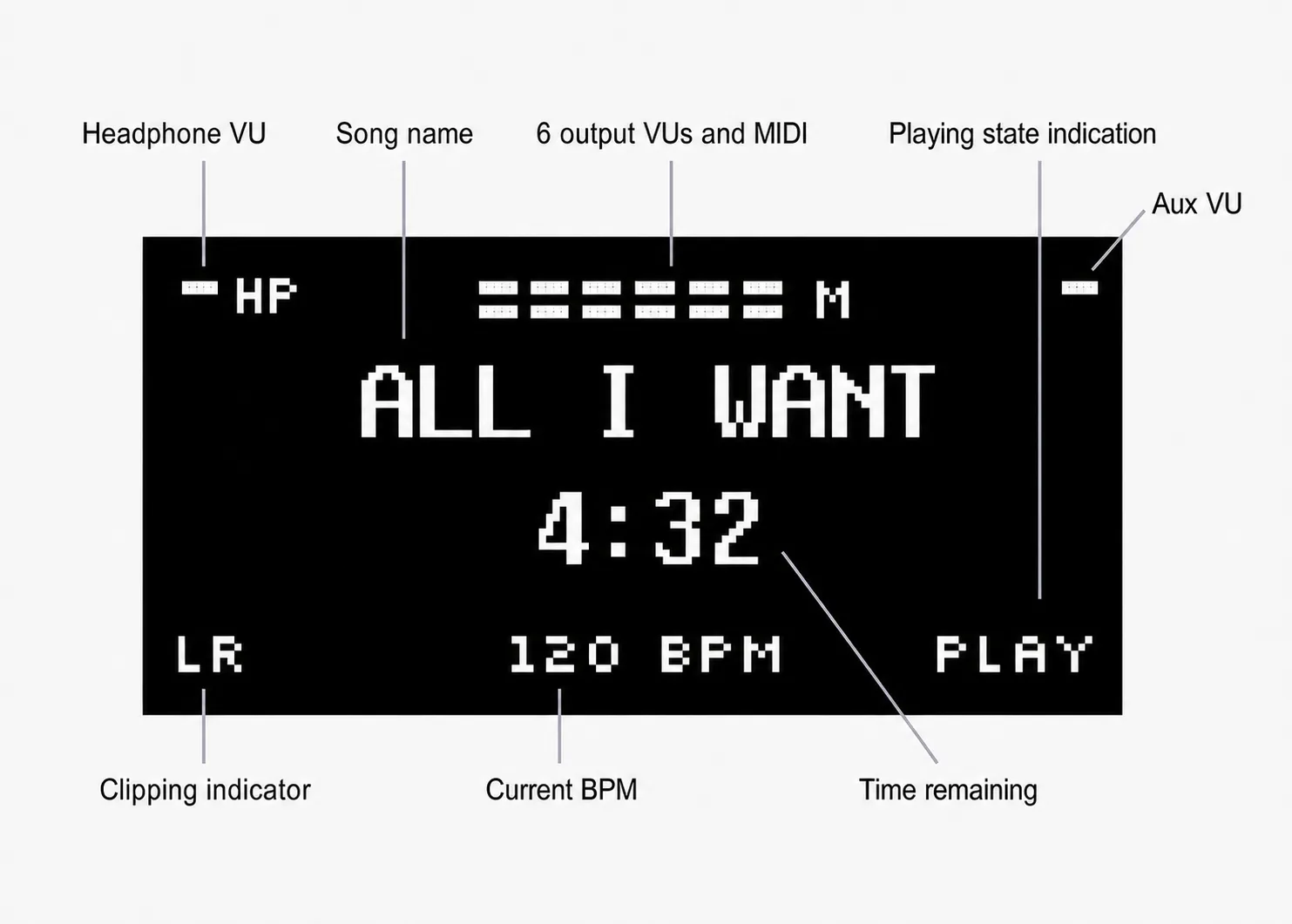
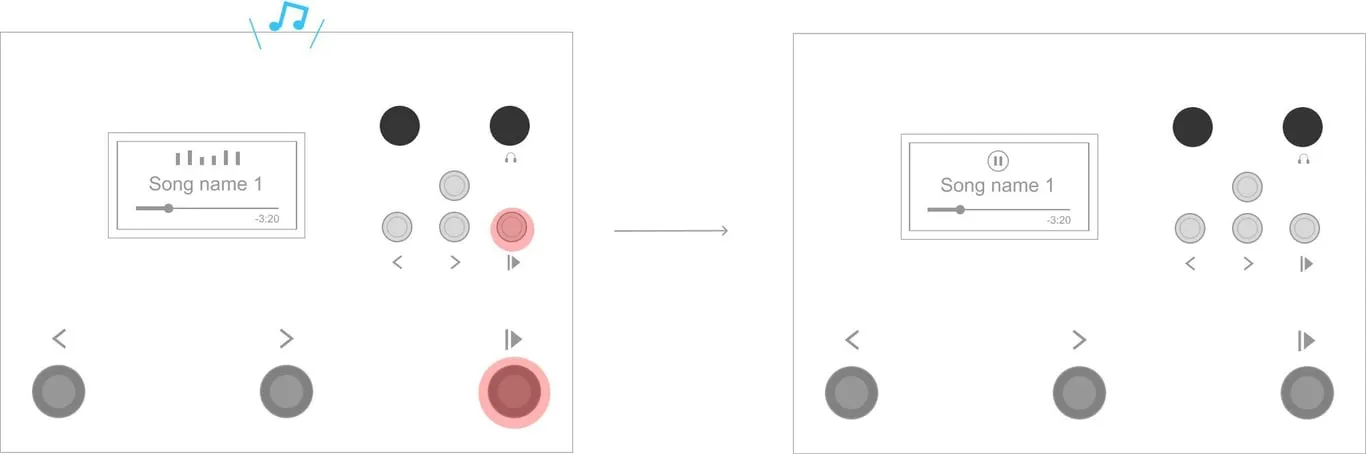
Pause / Unpause song
Section titled “Pause / Unpause song”In Control Mode A, quickly press and release the PLAY footswitch or button to pause the playing song. Press and release PLAY again to continue from the paused position.
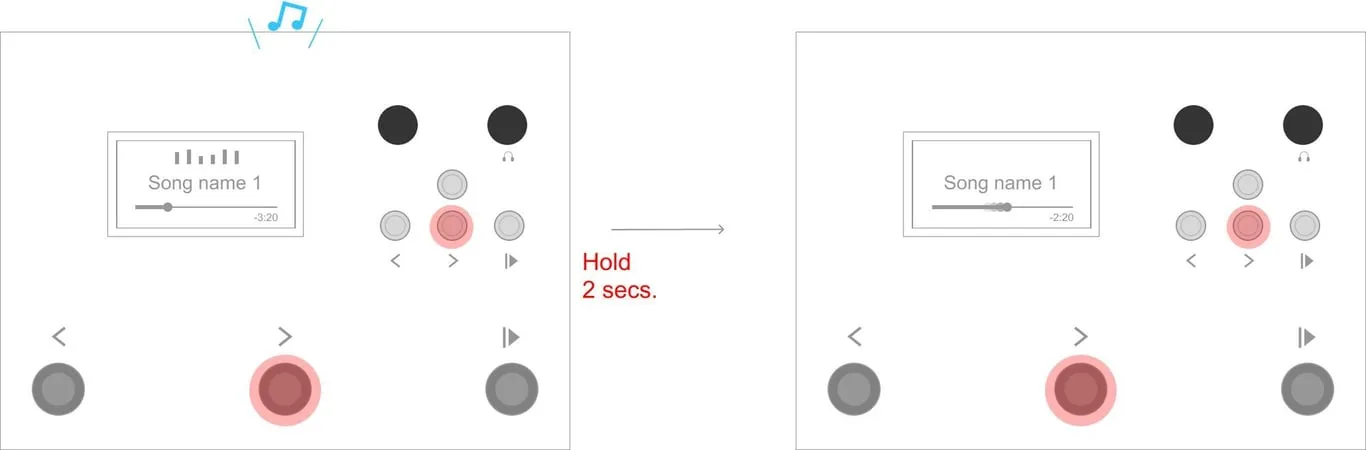
Scrub forwards
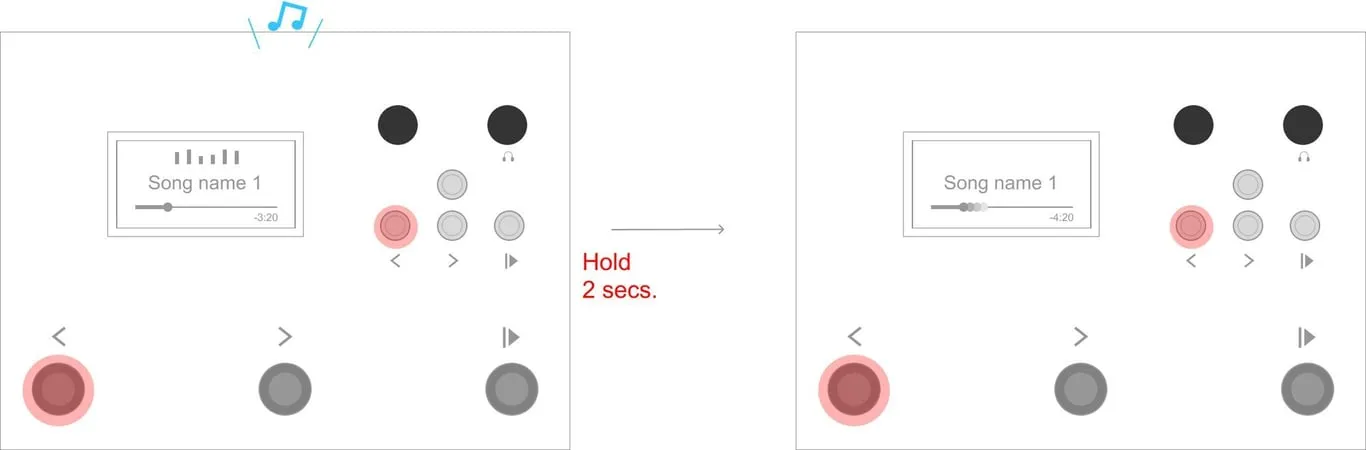
Section titled “Scrub forwards”From the playing or paused state, hold the FORWARD footswitch or button for 2 seconds to scrub forward until it is released. Scrubbing accelerates after the control has been held for more than 3 seconds. Songs containing both audio and MIDI can be scrubbed with firmware v3.27 or later.
Scrub backwards
Section titled “Scrub backwards”From the playing or paused state, hold the BACK footswitch or button for 2 seconds to scrub backwards until it is released. Scrubbing accelerates after the control has been held for more than 3 seconds. Songs containing both audio and MIDI can be scrubbed with firmware v3.27 or later.
Stop song
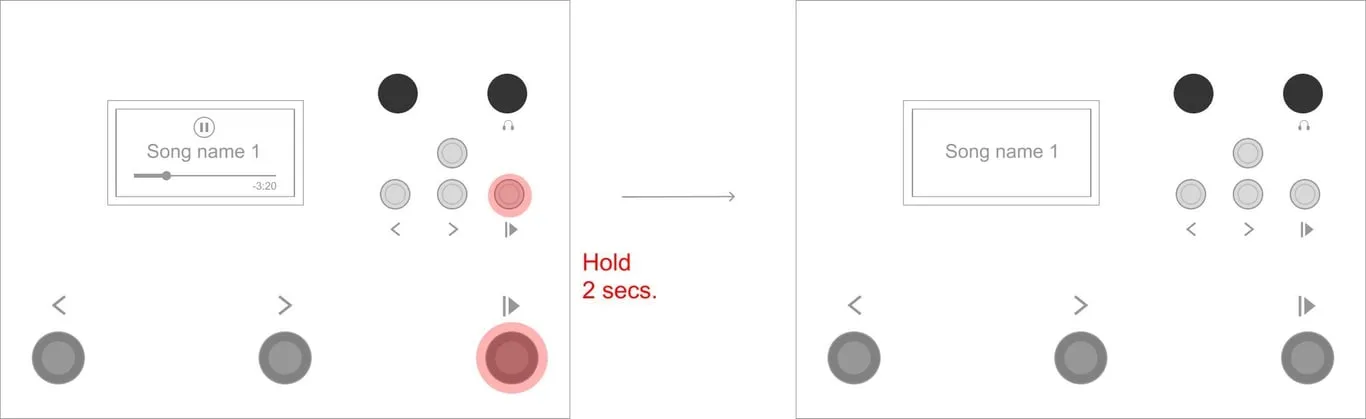
Section titled “Stop song”In Control Mode A, hold the PLAY footswitch or button for 2 seconds to stop the currently playing or paused song. Starting playback again will play the song from the beginning.
Select next song
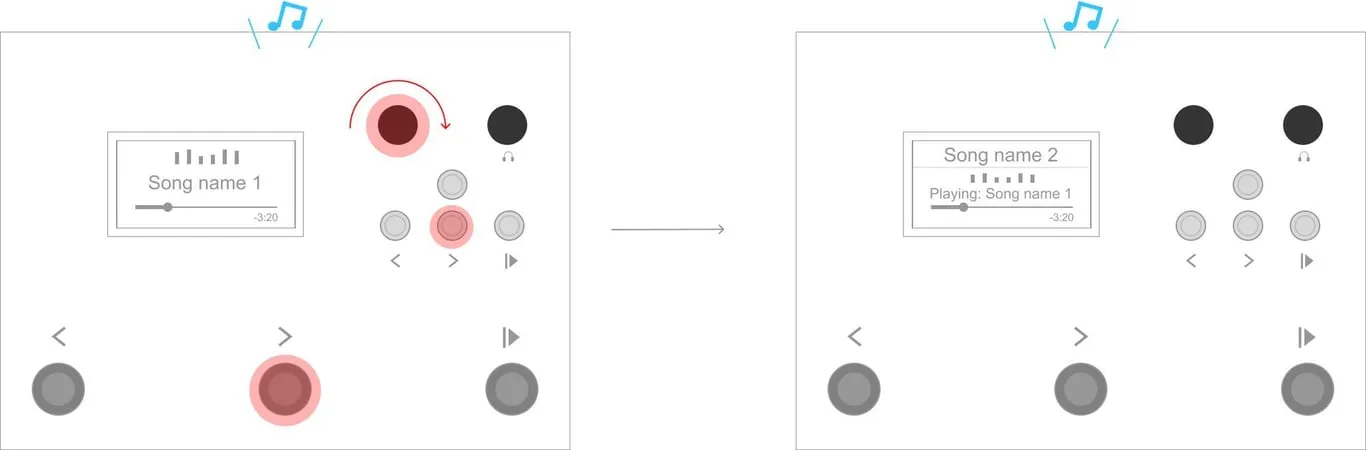
Section titled “Select next song”From the playing or paused state, quickly pressing the FORWARD footswitch or button, or turning the ENCODER clockwise, selects the next SONG while the current song continues to play.
Select previous song
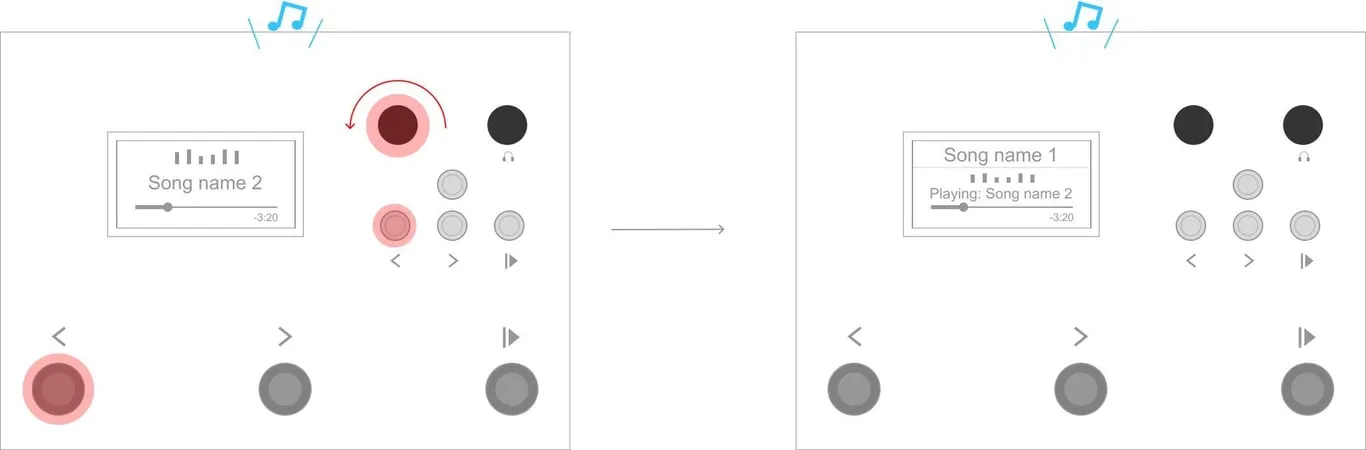
Section titled “Select previous song”From the playing state, quickly pressing the BACK footswitch or button, or turning the ENCODER anti-clockwise, selects the previous SONG.
Switch to new song
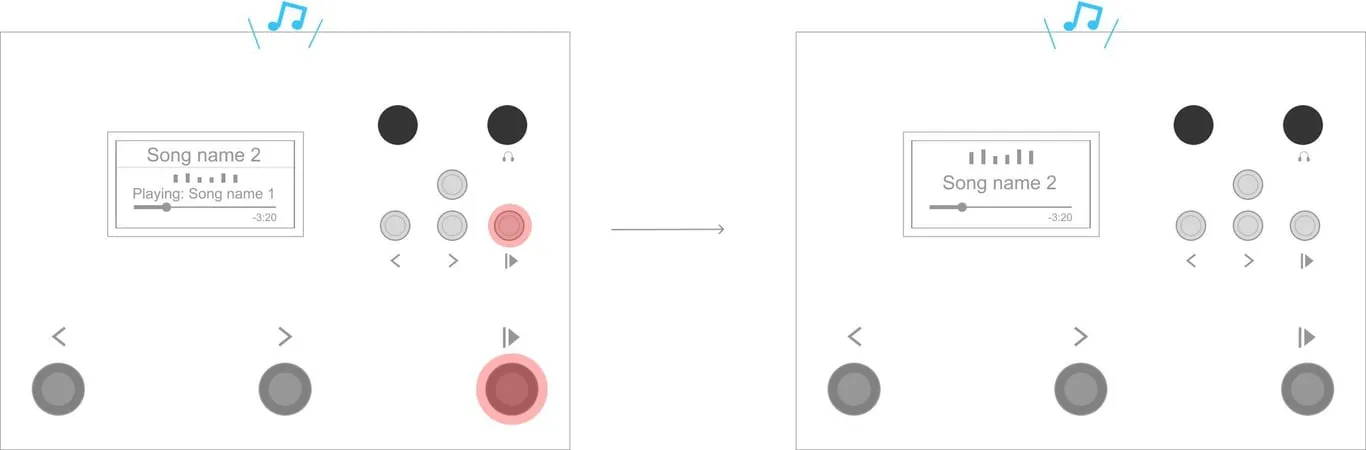
Section titled “Switch to new song”In Control Mode A, when a different song is selected during playback, quickly press and release PLAY to stop the current song and start the selected song.