
Relinking Missing Files
An .idoru session links to WAV and MIDI files stored elsewhere; it does not contain copies of them. Files may need relinking if they have been moved or renamed, or if an external drive is disconnected.
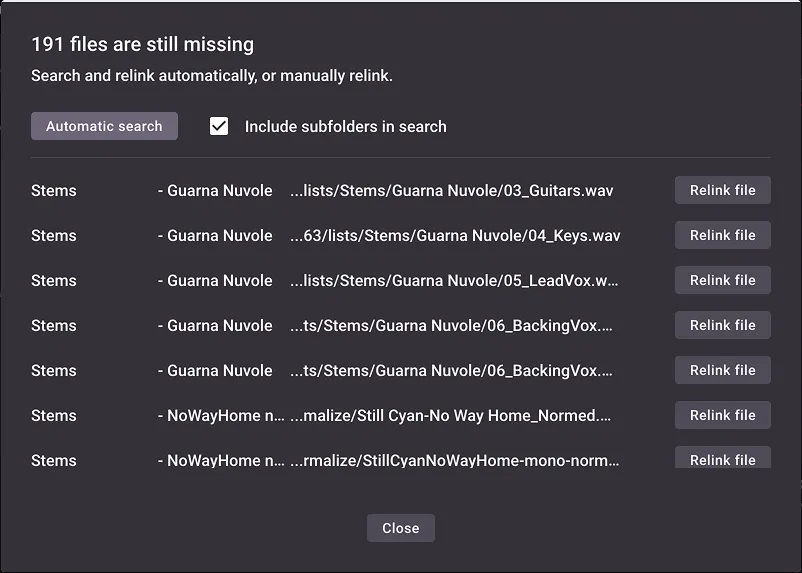
When you open a session, the software checks whether its linked WAV and MIDI files are available. If any are missing, a dialog will list them.
Search automatically
Section titled “Search automatically”Click Automatic search, select a folder and enable Include subfolders in search if needed. The software will look for files whose names match the missing files.
Choose a replacement file
Section titled “Choose a replacement file”To select a replacement yourself, click Relink beside an individual file.
Scan an open session
Section titled “Scan an open session”You can start a check at any time by choosing File > Scan for Missing Files.