P-1 song and setlist file syntax
This information is here just in case you need it. The software will actually create all the files you need to put on the SD card for the P-1, and is the safest way to avoid errors. However, we have designed the P-1’s config files to be human-readable and editable with a simple text editor. So in an emergency, for convenience, or if you wish to create custom tools for working with P-1 files, here is how they work:
SD card folder structure
Section titled “SD card folder structure”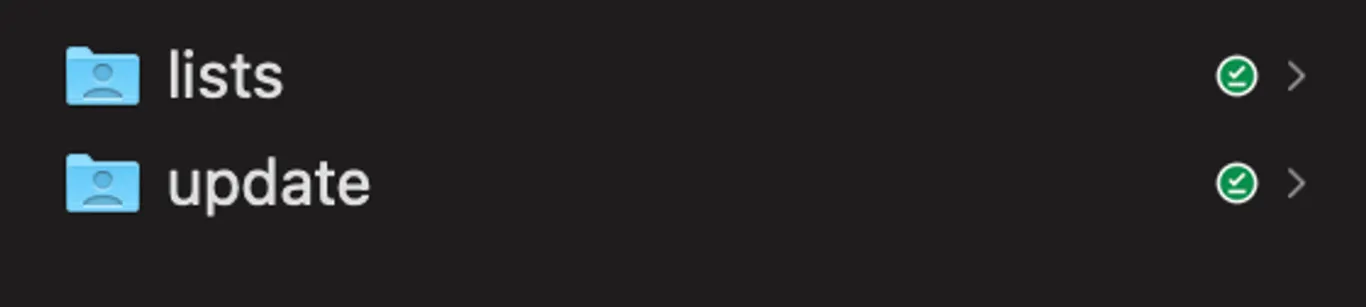
On the SD card there must be the following folders:
/lists
/update
LISTS contains a folder for each setlist. Each setlist folder contains its configuration file and a subfolder for each song. Each song folder contains the song configuration file (.txt), its WAV files and its MIDI file.
UPDATE will be where you put firmware updates to install them.
Song files
Section titled “Song files”Song files define all the settings for a song. Many of these you can change directly on the P-1 from the Edit Song menu. Song file names should be less than 32 characters. Ideal is less than 16 characters as this is what will be visible on the P-1 display when browsing songs on a setlist.
In a song file the following is defined:
- The Song Level Adjust amount
- The behaviour at the end of the song (QueueNext, PlayNext, Loop, Stop)
- The visual metronome and MIDI clock tempo
- The 6 WAV files to load for the song
- The MIDI file to load for the song
- Sound source levels to each output
Here is a breakdown of an example song file:
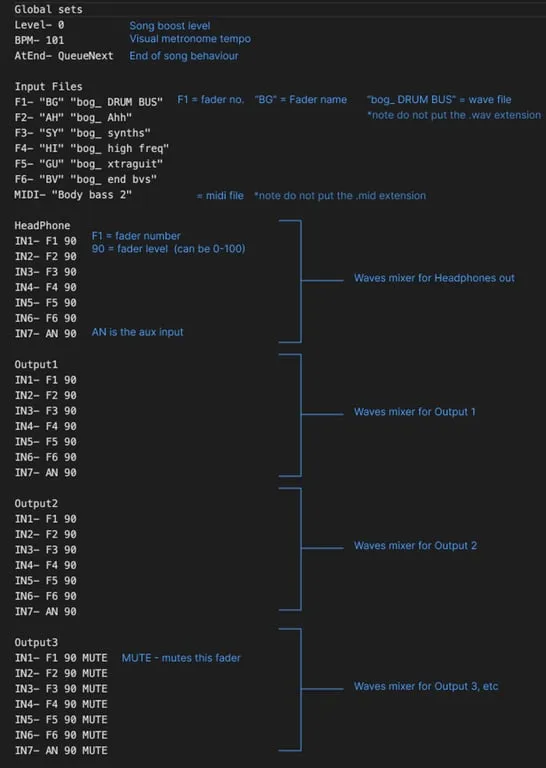
The same format applies for the remaining outputs 4, 5 and 6.
Setlist files
Section titled “Setlist files”Setlist files define all the settings for a setlist, and which songs should be in it. Setlist names can be a maximum of 32 characters.
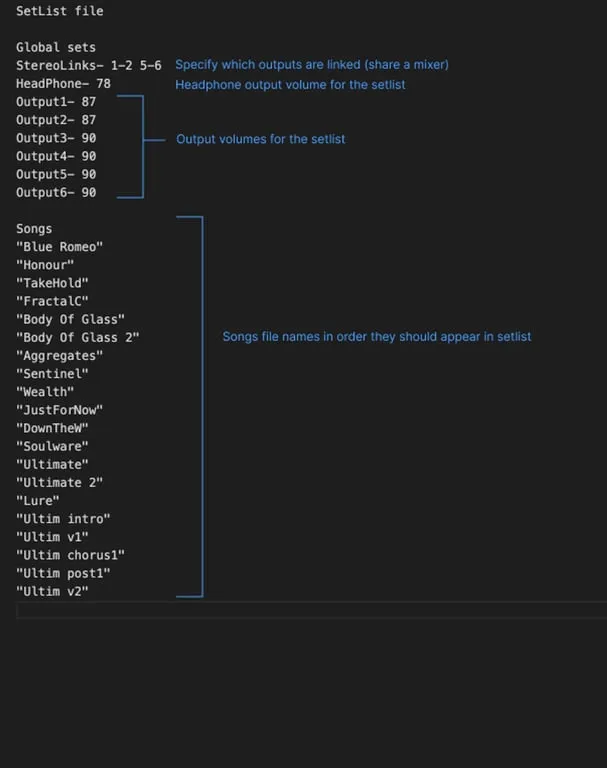
In a setlist file, the following is defined:
- Which outputs are stereo paired
- The volume of the 6 outputs and the headphones output.
- The list of songs in the order they should play.
Here is a breakdown of an example setlist file: